
 For accounting and law firms, HR and administration
Free PDF editor for Mac, with AI Paperwork, done in minutes. With no surprises.
Annotate, fill, sign, redact and compare your PDFs. With 138 tools, your AI processes a whole folder while you review what matters.
Free account · No card · Delivered on launch day
- Free to edit
- 138 tools for your AI
- Español · English · עברית
Whether or not you know PDFs, the paperwork gets done.
MCP is an open standard that connects your AI to the app's real tools, like a universal plug. You talk normally; your assistant picks the tool, uses it and leaves you a result ready to edit.
Merge these 3 PDFs, sign the last page and make it light enough to email.
PDF·Uses the app's tools
Waiting for instructions from your AI…
- combine_files
- add_signature
- compress_document
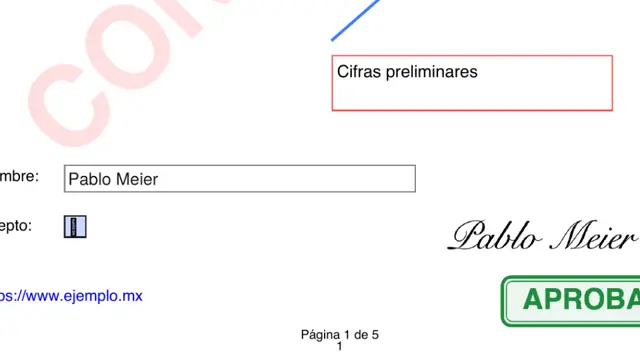
A signed 2 MB PDF, ready to send.
Say what you need: merge, sign, shrink or fill. Your AI finds the tool among 138 and does it.
OCR, Bates numbering, redaction and version comparison in batches, with one instruction.
The connection is free and you set it up once. You pay for your AI with your own account; everything it does stays editable in the app.
One piece of data leaking in a PDF can cost more than the whole job.
A folder of 40 contracts. One instruction.
Your assistant uses PDF's 138 tools: finds sensitive data, truly redacts, fills forms, stamps, signs with a certificate and compares versions. You review before sending.
What it does in the app, with the connector's real tools:
find_sensitive_datatax ID · ID · phone · emailmark_for_redaction212 matchesapply_redactions40 filesadd_stampReviewedsign_documentdigital certificate
Before
- Open file after file
- Hunt for every detail by eye
- Cover, stamp and sign one by one
- Hope nothing slipped through
With PDF + your AI
- One instruction for the whole folder
- Review the list of changes
- Send with peace of mind
You stay in charge: everything stays editable, and if you don't want AI, everything works by hand.
What you'll be able to do
Everything your office does with PDFs, in one place
Redaction that really erases
The text is removed from the file, not just covered.Digital signature with a record
Who, where and when, verifiable.No redoing the document
Forms, booklets, 4-up, OCR and version comparison.What everyone asks before saying “I want it”
What is PDF Meier Studio?
It's a PDF editor for Mac to annotate, fill forms, sign with an audit trail, redact (the text is removed from the file, not just covered), run OCR and compare versions. It also converts Word, Excel, PowerPoint and images to PDF. Everything is processed on your computer, and it connects over MCP to your AI with 138 tools.
Is it an alternative to Adobe Acrobat?
For office paperwork — annotating, signing, redacting, comparing, OCR and converting — yes, and with no subscription. Plus, your AI can apply the same process to dozens of files while you review what matters.
Are my documents uploaded to the internet?
No. PDF is a Mac app and processes your files on your machine. Your AI only gives it instructions.
Does it open any PDF?
It opens your usual PDFs and also converts Word, Excel, PowerPoint and images to PDF.
Is it really free?
Yes. The account and every editing tool are free. You only pay if one day you want Iris to generate images, video, voice or music with Meier Credits, at the provider's cost. It's optional.
Do I need to know about AI?
No. If you already use Claude or another MCP-compatible assistant, you connect it in three steps and talk to it like a colleague. If not, the app works fully by hand.
What happens when I say “I want it”?
You create your free account and join the PDF launch list. On launch day you'll find it in your account and we'll let you know. People on the list get it first.
Stop letting paperwork be the bottleneck.
Save your spot for PDF for free and get it on launch day.
- Create your free accountThirty seconds. No card.
- You're on the PDF listYour spot is saved.
- It arrives on launch dayIn your account, before anyone else.
Free account · No card · Delivered on launch day